
All GlobalCapture Cloud accounts that are also using GlobalSearch Cloud now include unlimited monthly scanning. Please note that AI-driven processes remain subject to page limits, including InquireAI, ArticulateML, and TransformAI. API call limits also continue to apply.
Activating Unlimited Pages
-
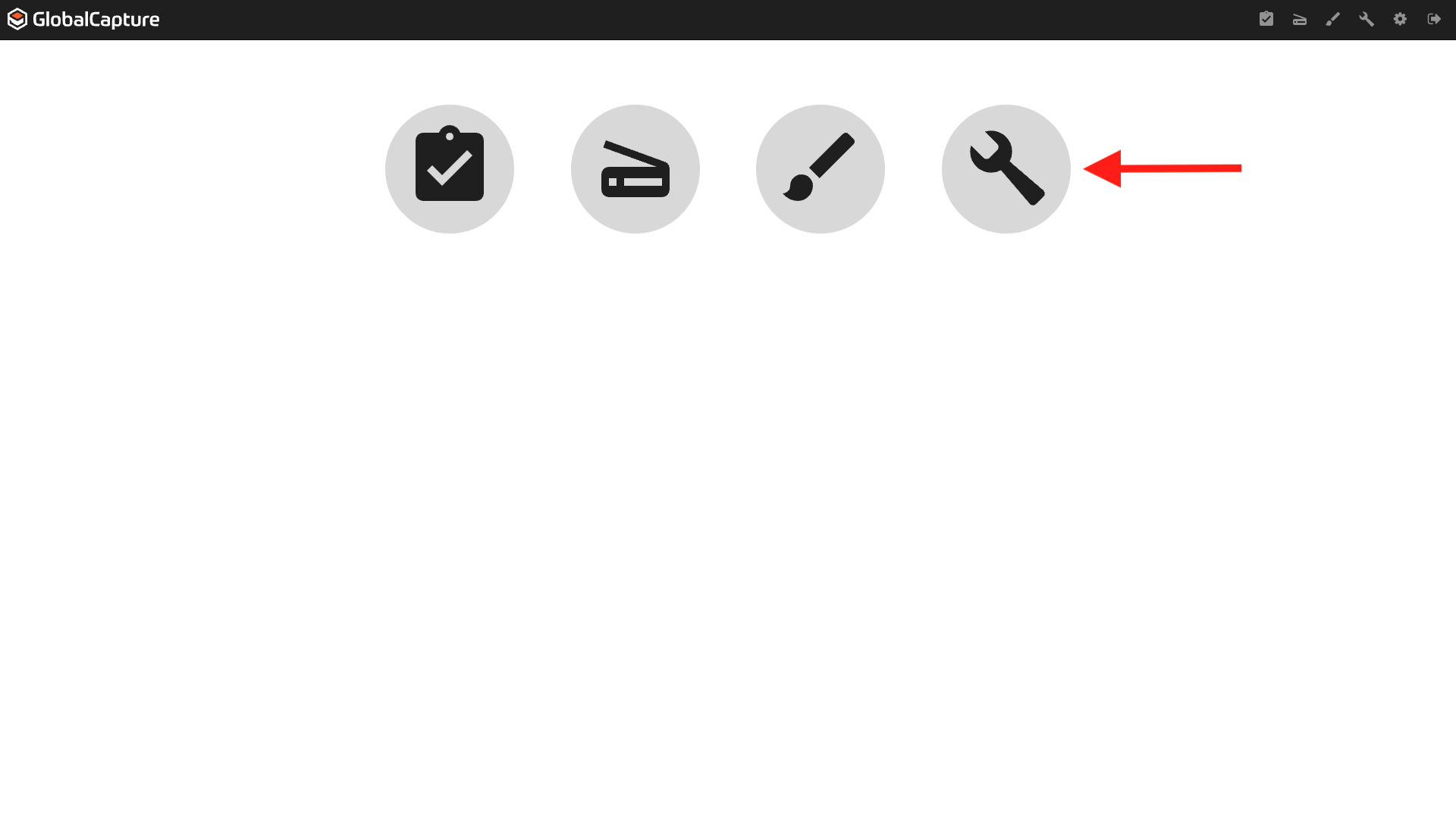
Login to GlobalCapture as an Admin and click the Manage (

-
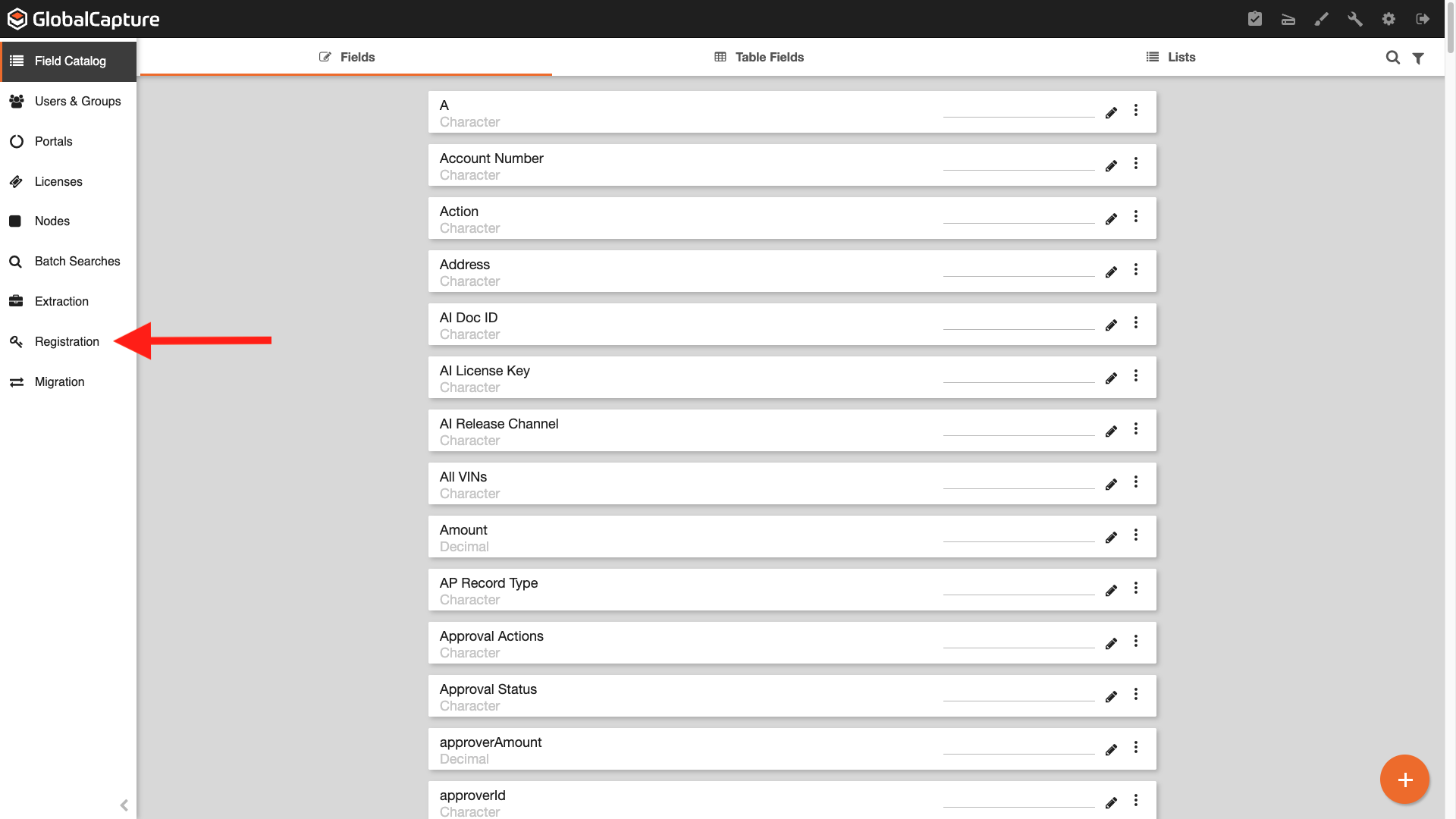
From the left pane menu, click Registration (

-
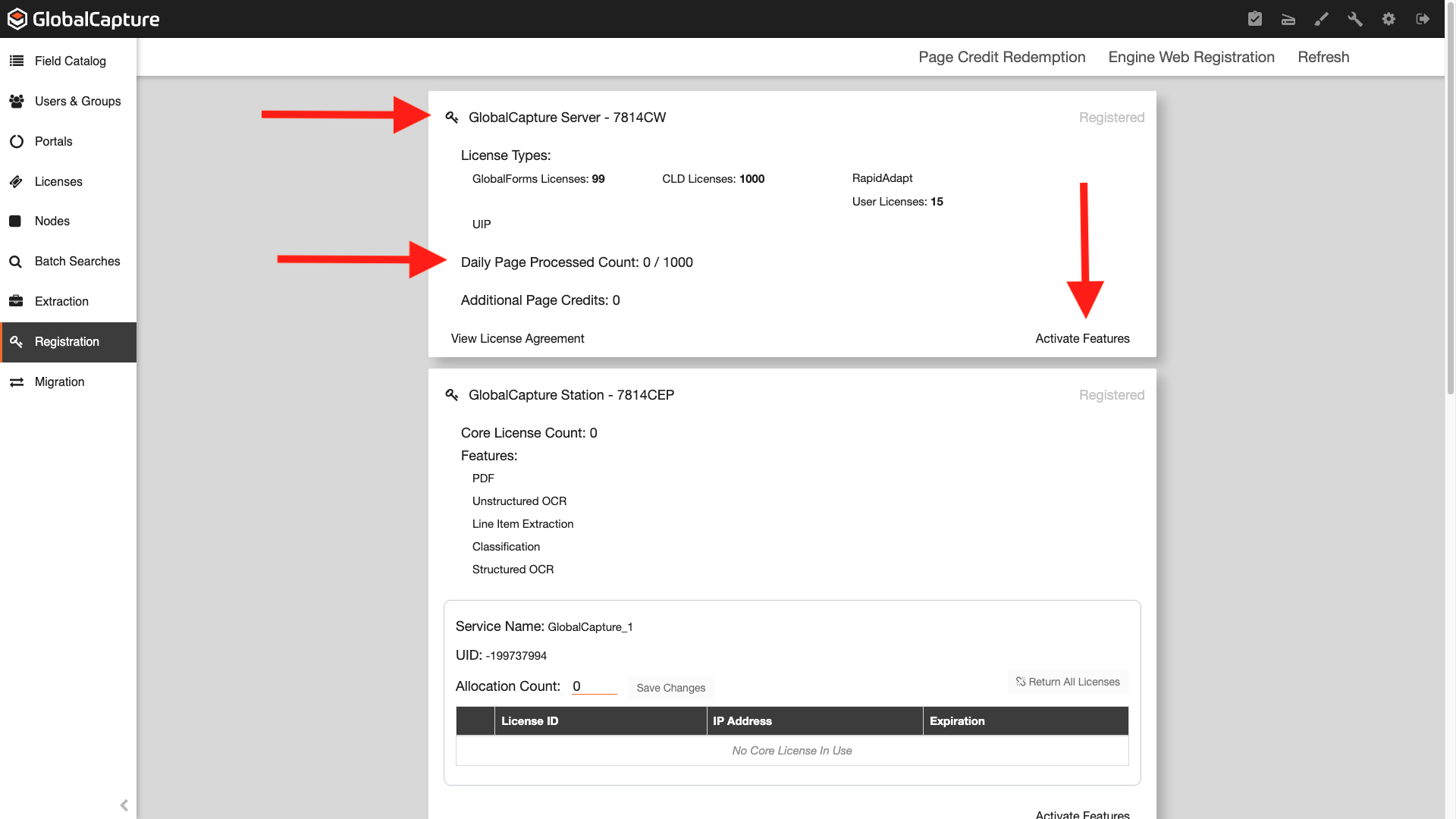
On the card titled GlobalCapture Server - ####XX, you will see your current Daily Page Count Processed: ###/1000. To update your page count, click Activate Features.
-
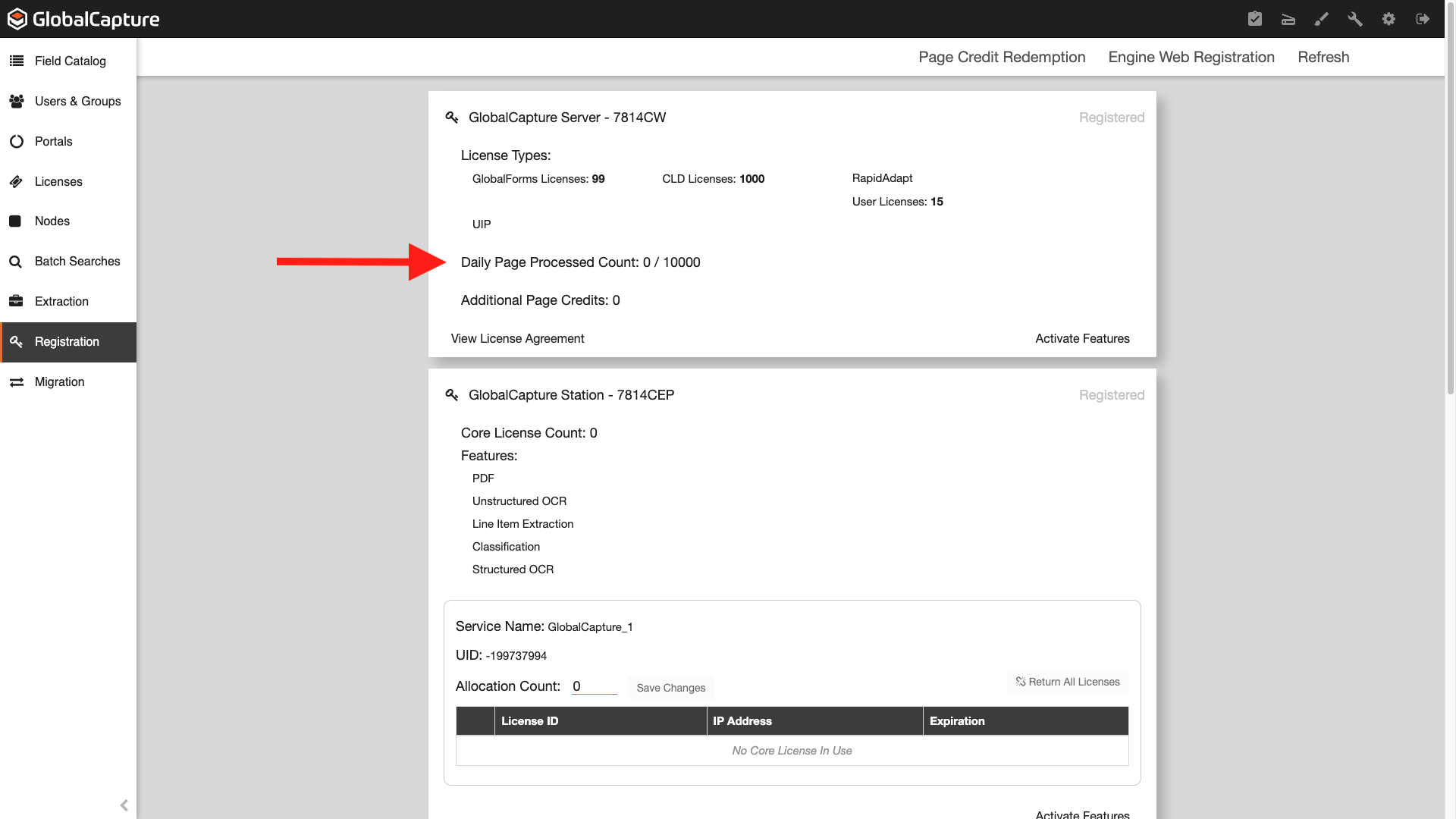
Your new Daily Page Count Processed will now reflect 10,000 pages.
IMPORTANT NOTE:
-
If you are processing more than 10,000 pages per month, please contact the Square 9 Support Team to adjust your account.