
Beginning with GlobalCapture 3.2, users can now package and transport entire capture processes, templates, forms, etc. between system using migration tools built directly into the GlobalCapture administration interface. The following components are all part of a workflow package:
-
Workflows Definitions
-
Fields
-
Lists
-
Table Fields
-
Templates
-
Template Groups
-
Template Samples
-
Square 9 Users
-
GlobalForms Forms
-
GlobalForms Resources
-
GlobalForms Mapping Files
-
Custom Nodes
Migration
-
To access Migration, click the Manage button from the GlobalCapture home page or the Manage (


-
Click Migration.
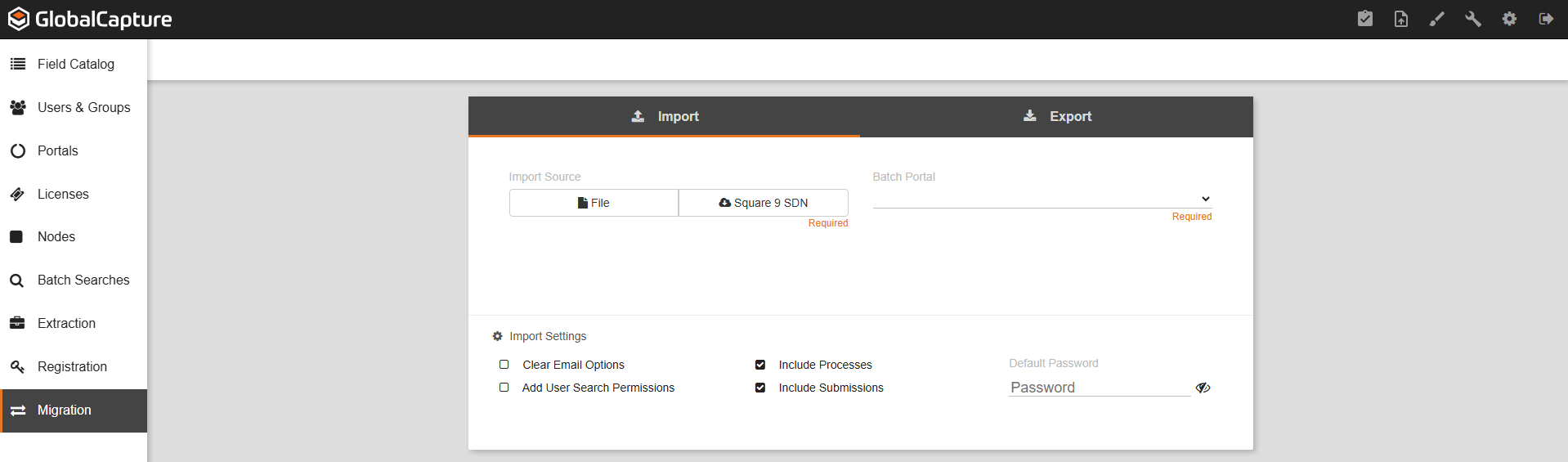
What is the Migration Management page for?
Migration allows you to Import and Export Workflows, templates, extraction profiles, nodes, etc. to and from your Square 9 solution.