
Extraction Profile Management
You can now modify OCR and BCR extraction profiles directly in the browser.
Extraction is now presented as an option in the GlobalCapture admin page. By default, two extraction profiles will exist: Standard Extraction for Zonal OCR and Conversion, and Standard Barcode Extraction for barcodes.
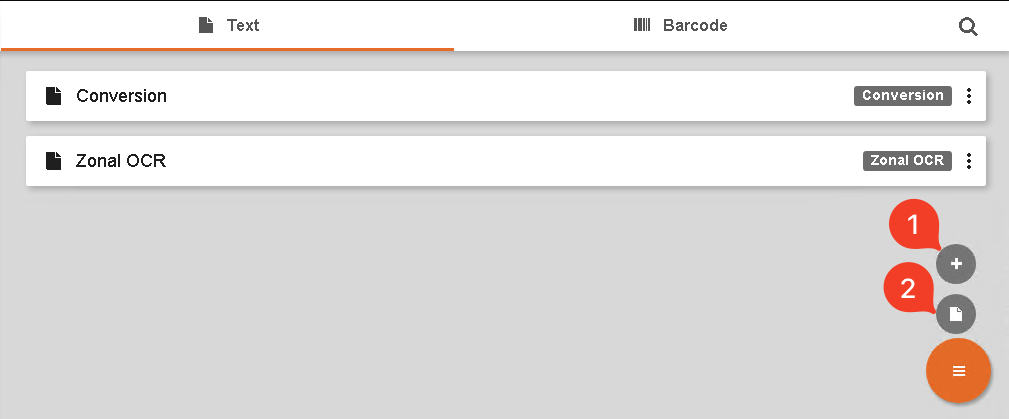
For those without sophisticated capture needs, it may be beneficial to use only a single profile for both Conversion (Full Page OCR) and Zonal OCR. You can provision as many extraction profiles as they need.
Creating Profiles
Administrators can:
-
Create new profiles.
Legacy users while have the ability to use the Legacy OCR Engine or the New OCR Engine for the extraction profile. New users will only be able to use the New OCR Engine.
-
Upload an existing textocr.cfg or fullpageocr.cfg file. If you have never modified settings of the OCR configuration files in your environment, there is no reason to upload them in 3.0. Existing configuration will continue to function when no extraction profiles are set/selected.
Selecting Profiles
Setting a profile to the DEFAULT behavior for OCR or Conversion will automatically use that profile as part of your workflow. The design surface now offers the ability to set the extraction profile on a more granular level.
For OCR profiles, users will be able to set the profile on the Node (Classify and Convert), Zone (template construction), and Workflow level.
BCR Advanced profiles can be set on the Node (Separation and Delete Pages) as well as the Zone (template construction).
The more granular setting will always over rule the any more general settings. Order of priority is as follows: Zone → Node → Workflow → Default Profile
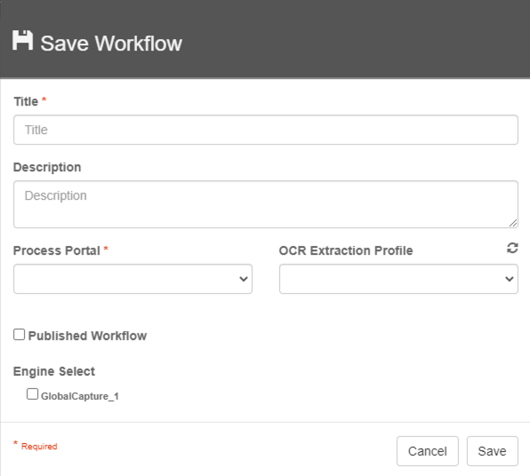
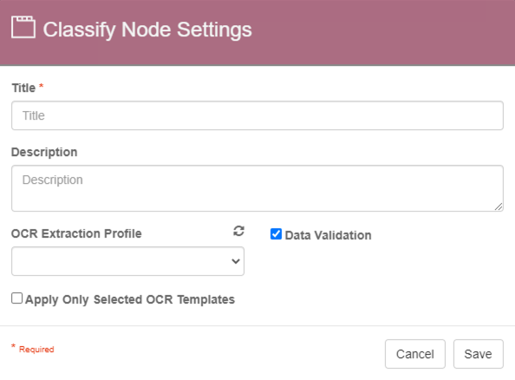
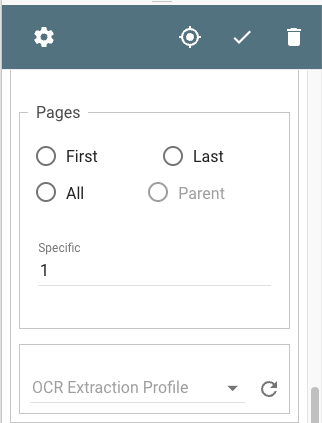
Performing OCR on a zone level can be a costly operation from a performance stand point. When selected, OCR is taking place live as the document is running through the template rule not all at once, preemptively, as normal. It is recommended, to achieve optimal performance, to minimize per zone extraction in favor or system or workflow defaults to those settings.