
Thumbnailer Pane
The Thumbnailer Pane displays the pages of all process opened in the Document Viewer organized by Process Number. The visibility of this pane when the Document Viewer is opened controlled in User Settings.
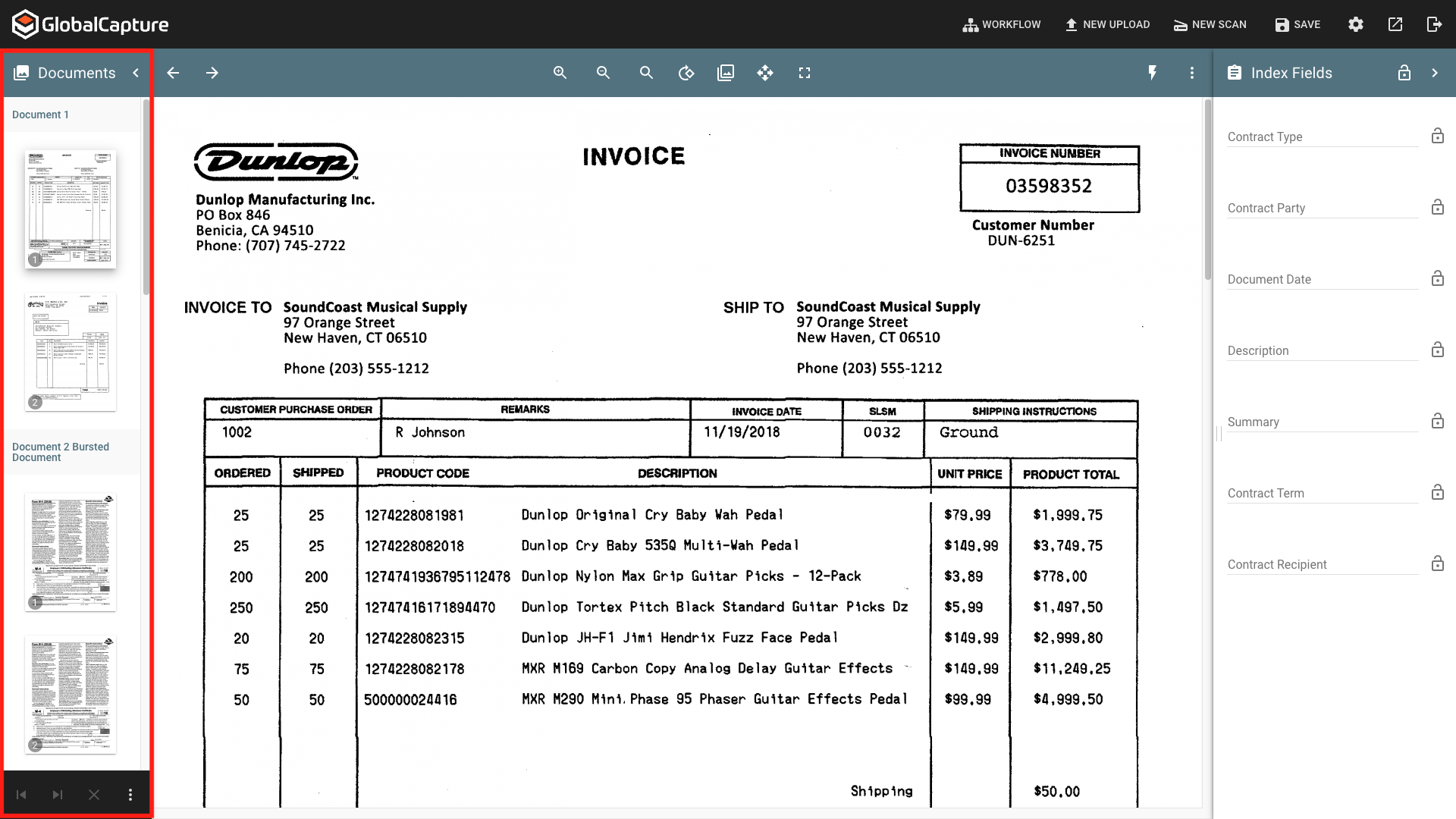
Show/Hide the Pane
Collapse ( 
Thumbnails ( 

Thumbnailer Preview
The pages of all documents that are opened in the same Document Viewer are displayed as Thumbnails separated by the Process ID.
-
Page can be rearraged by dragging and dropping them into the desired order.
-
Select a single page to view the page in the Page Viewer.
Next Document ( 
Previous Document ( 
Clear Selections ( 
Ellipsis ( 
-
Select All - Automatically enables Enable Multiple Selection and selects ALL pages of ALL open documents. Any action performed, such as rotation, color dropout, etc. will apply to ALL pages.
-
Delete Page(s) - Deletes the selected page or pages. Exercise caution when deleting pages as there is no additional “Are your sure?” prompt. Once a page is deleted and changes are saved, this cannot be undone.
-
Burst Page(s) - Creates a new document from the selected page(s).
-
Burst and Delete - Creates a new document from the selected page(s) AND removes them from the current document.
-
Burst Only - Creates a new document from the selected page(s) but does NOT remove them from the current document.
-
-
Insert from Scanner - Add pages to the document from a desktop scanner. This option is only available if Extensions are installed.
-
Enable Multiple Selection - Add a checkbox next to each page to allow multiple pages to be selected.
-
Disable Multiple Selection - Removes the checkbox next to each page and removes all selections.

Page Viewer - same as doc vier except no Find in File.
Index Fields Pane - Similar
Adds - lock icons
Subtracts - Rapid Adapt and WF status