
The Document Viewer has several options available for viewing, indexing, and editing a document. From the Document Viewer, you can easily add, remove and manipulate the pages of the document, search the content of the document, add or modify existing process field data, take action on in process document, etc. The actions available within the Document Viewer will vary based on your permissions.
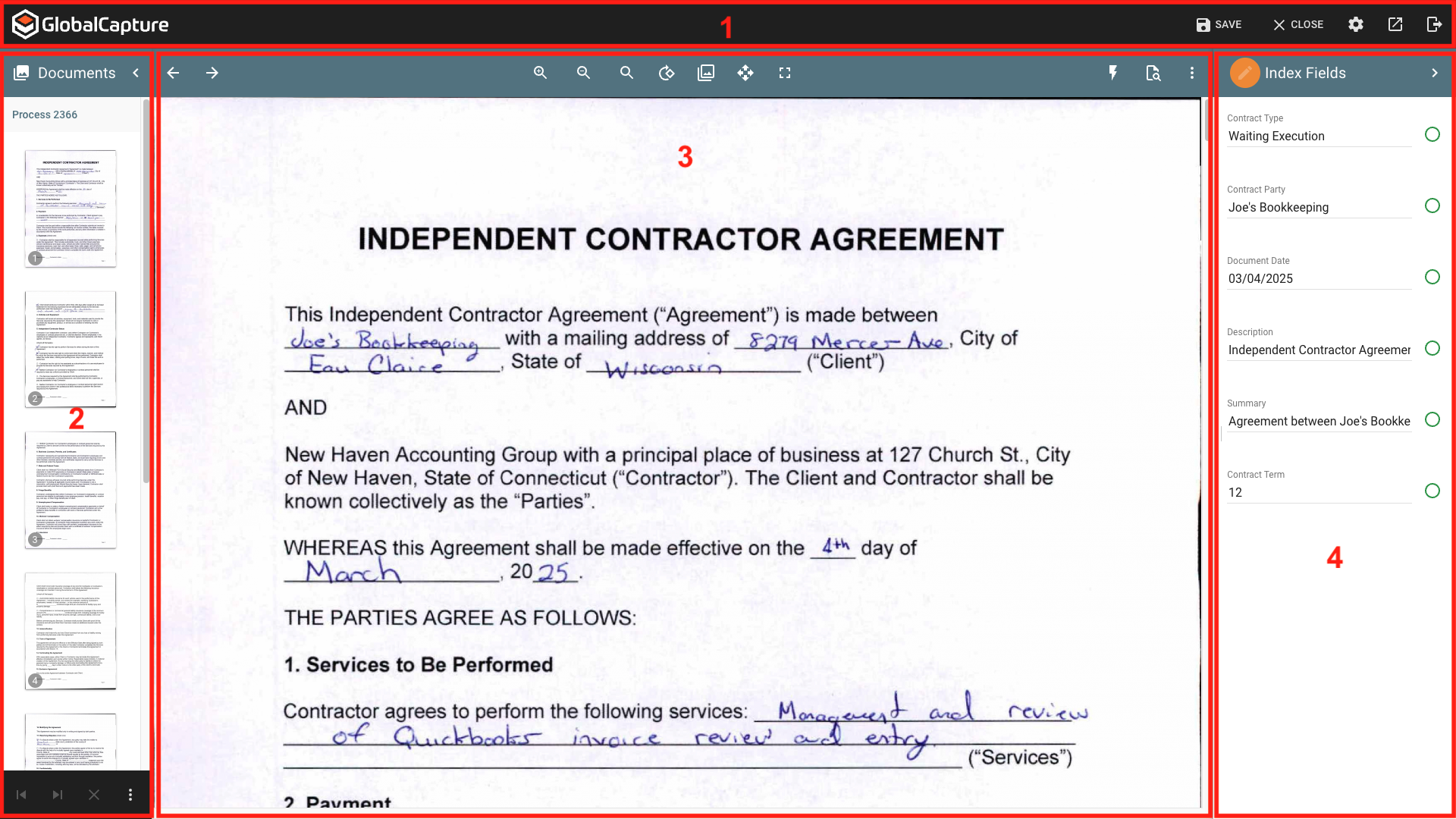
The main areas of the Document Viewer are:
-
GlobalCapture Toolbar - Save changes to your document and move it along in the workflow, navigate to other areas of GlobalCapture, and access the user settings.
-
Documents Pane - Displays the pages of the document. Rearrange the order of pages, add, remove, and burts pages into new documents.
-
Page Viewer - Display the currently selected page of a document. Modify the doucment using tools in the Paige Viewer Toolbar suchs as rotating or finding text.
-
Index Field Pane - Add or modify data in GlobalCapture Process Fields.