
GlobalForms is Square 9's web forms platform. Build forms with a drag-and-drop designer, publish them to staff or the public, and send submissions into GlobalCapture workflows for review, approval and filing. Use it for anything from patient intake to expense reports.
Key concepts
|
Term |
Meaning |
|---|---|
|
Form |
A set of components that users fill in and submit |
|
Resource |
A reusable form that represents something your organization tracks, such as employees, vendors or customers. Its data can be used in other forms. |
|
Component |
A building block of a form, such as a Text Field, Select list or Signature |
|
Submission |
The data saved each time a form is submitted |
|
Form action |
Something that happens automatically on submission, such as sending an email or starting a GlobalCapture workflow |
|
Role |
A group of users that is given access to forms and submissions |
Sign in to the designer
-
In a browser, open your GlobalForms address, for example
https://forms.example.com. -
Sign in with an administrator account, such as
gfadmin, the administrator created during installation.
The designer home page
The home page lists your Forms and Resources. For each one you can:
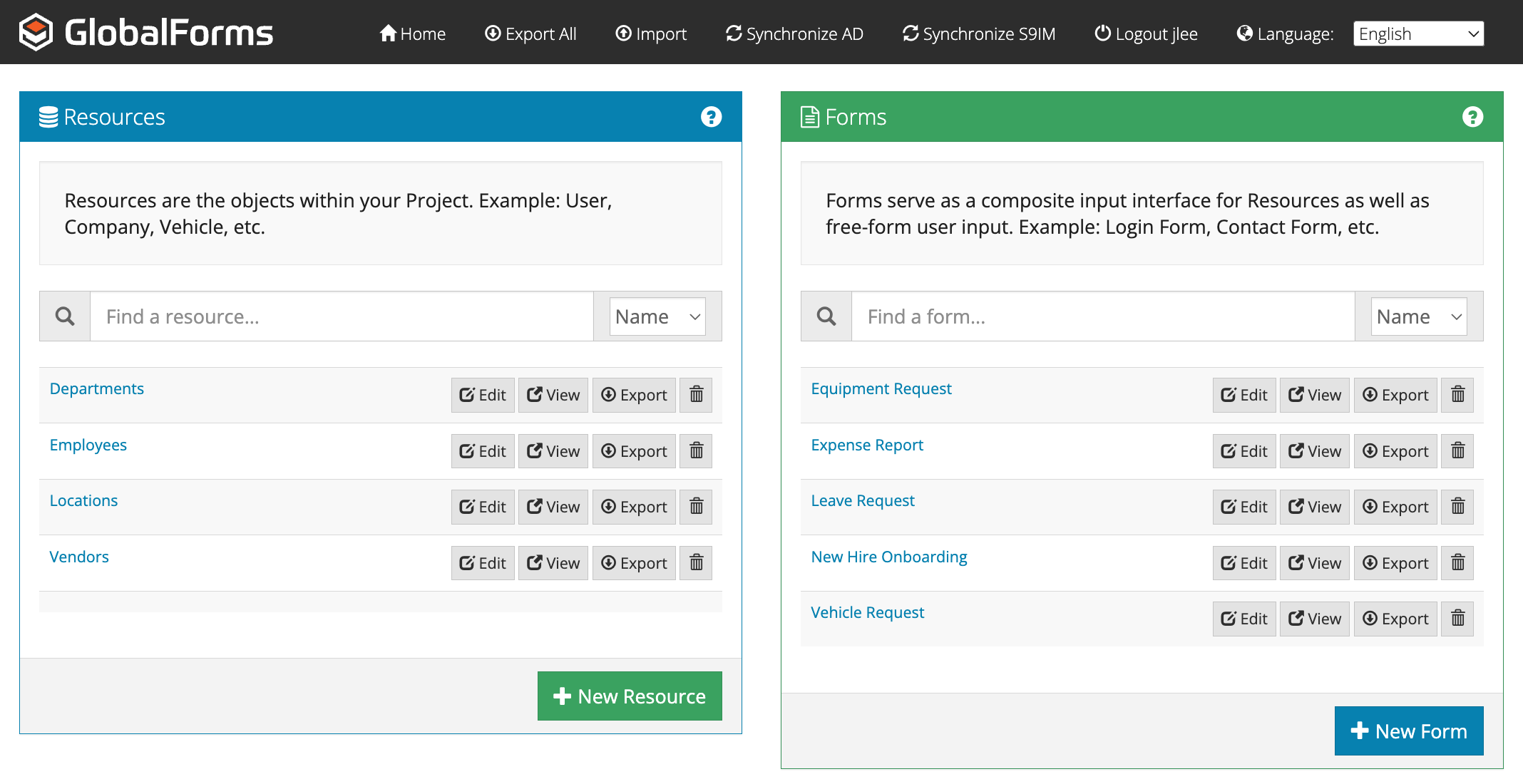
|
Button |
What it does |
|---|---|
|
Edit |
Opens it in the form builder |
|
View |
Opens it in a new tab as users see it. The address of this tab is the link to share. |
|
Export |
Downloads it, with any resources it uses, as a file you can import elsewhere or keep as a backup |
|
Delete (trash can) |
Deletes it |
The title bar has Home, Export All (every form and resource), Import, Synchronize AD and Synchronize S9IM (to bring in users and groups from a directory), Logout, and a Language selector. Use New Resource and New Form at the bottom of each list to create one.
Next steps
Help and training
-
Square 9 Knowledge Base: troubleshooting for all Square 9 products
-
Square 9 eLearning: square-9.com/education
-
Square 9 Support: square-9.com/support