
A calculated value updates automatically every time the form changes. Sometimes you want the user to decide when something happens instead, for example to generate a user ID once and then let them adjust it. Use a Button with a custom action for that.
Set up a custom button
-
Add a Button component and give it a label, for example Generate User ID.
-
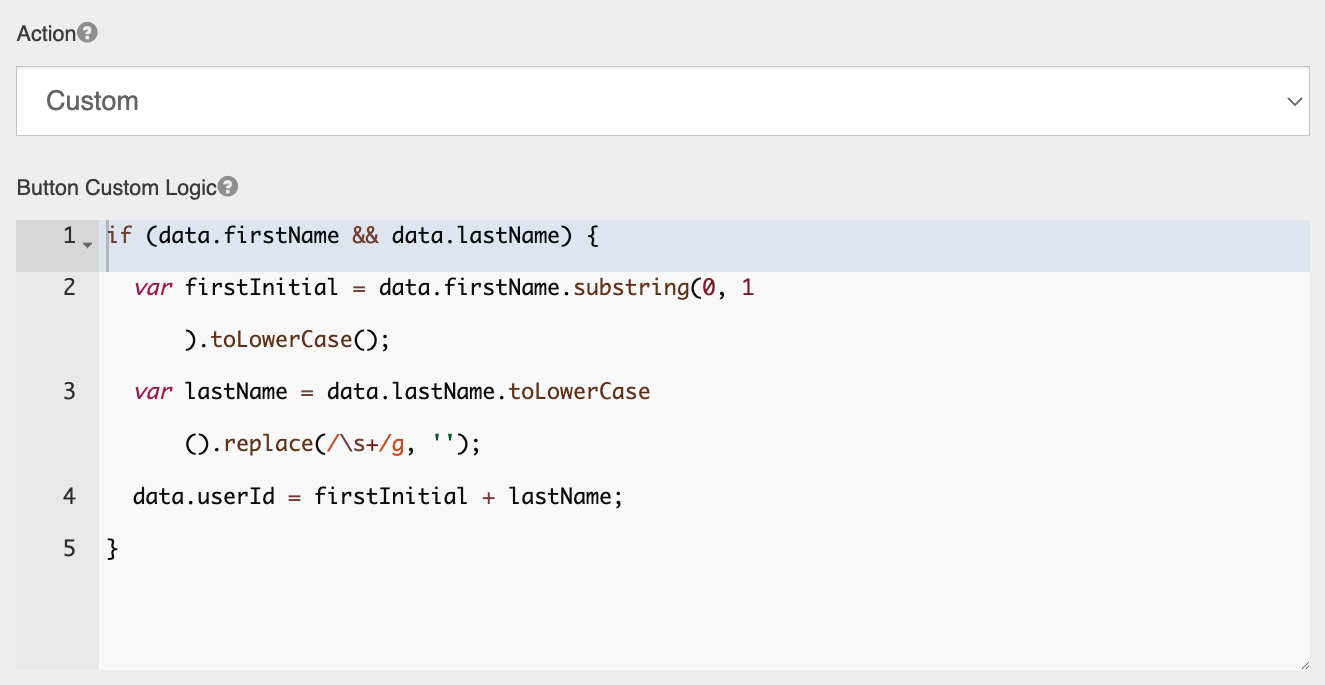
On the Display tab, set Action to Custom.
-
In Button Custom Logic, enter the script to run when the button is selected.
-
Save the component.
A button script doesn't return a value. Instead, it sets component values directly through data, for example data.userId = 'jsmith';.
|
Variable |
Contains |
|---|---|
|
|
The form's values, by property name. If the button is inside a Data Grid or Edit Grid, the values of that row. |
|
|
The form definition |
|
|
A list of every component on the form |
|
|
The click event |
Example: generate a user ID
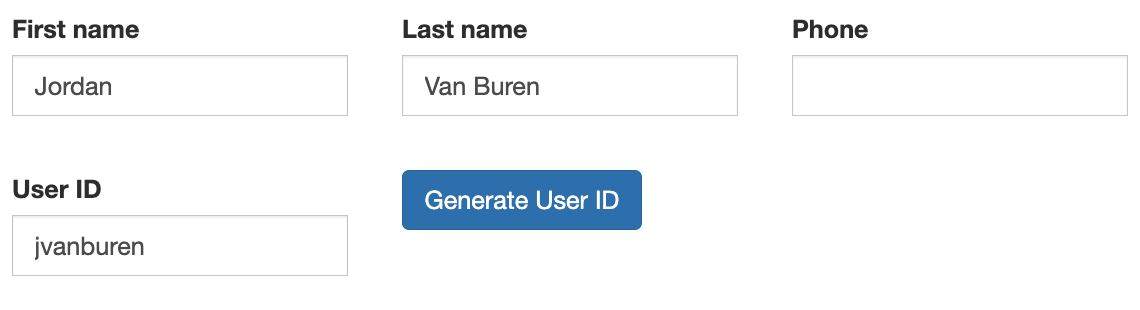
Create a user ID from the first initial and last name, such as jsmith, when the user selects the button. The form has Text Fields First Name (firstName), Last Name (lastName) and User ID (userId).
if (data.firstName && data.lastName) {
  var firstInitial = data.firstName.substring(0, 1).toLowerCase();
  var lastName = data.lastName.toLowerCase().replace(/\s+/g, '');
  data.userId = firstInitial + lastName;
}
The user can then edit the User ID if needed. Selecting the button again regenerates it.
Example: copy a value on request
Copy a mailing address into the billing address only when the user selects Same as Mailing Address:
data.billingStreet = data.mailingStreet;
data.billingCity = data.mailingCity;
data.billingZip = data.mailingZip;
Tips
-
Check that the values you need are filled in before using them, as in the user ID example. Otherwise the button can fail without any message.
-
If a button seems to do nothing, open the browser console (F12). Errors in button scripts are reported there.
-
A button script runs only in the user's browser. Don't rely on it for anything that must be enforced; use validation instead.