
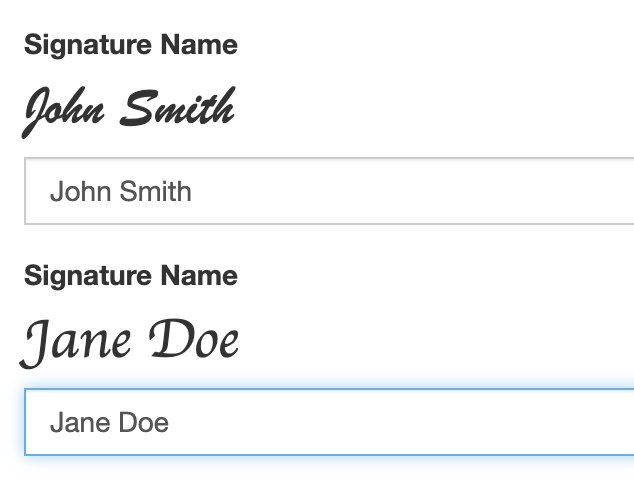
The typed signature component adds a standard text field that also shows a live, cursive‑style preview of the user’s name as they type. It’s designed for forms that require a typed signature but still want a signature‑like visual.
How It Works
-
The component saves the typed name as plain text in the submission data, just like a normal text field.
-
As the user types, a signature‑style preview appears above the input.
-
If the field is empty, the preview shows the placeholder text instead.
-
You can choose the font used in the preview by setting fontFamily.
-
You can also load a custom font by providing a fontUrl, such as a Google Fonts stylesheet.
You can:
-
Set Font Family to any valid CSS font stack.
-
Provide a Font Stylesheet URL if you want to load a custom font (for example, a Google Fonts link).
Font Configuration Tips
-
Use a standard web‑safe font stack or load your own font through a stylesheet URL.
-
fontFamily must be a valid CSS
font-familyvalue (example:Georgia, "Times New Roman", serif) -
fontUrl should point to a stylesheet that defines the font you want to use.
-
For a more “scripted style” font, try Brush Script MT