
Workflows use a set of concepts and terms to describe Workflows, with drag-and-drop components to help you visualize your entire Workflow.
Nodes
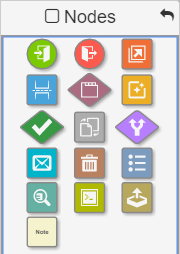
Nodes are the individual elements that create the Workflow structure. Drag them from the Nodes Pane onto the Design Canvas in any order you want and position them to create a Workflow.
A Node Settings dialog box will appear automatically, ready for your input, each time a Node is dragged to the Canvas. Within the settings, configure the name and other properties of the node.
Nodes can be connected with either manual or automatic actions. They can contain a variety of properties and perform Workflow actions such as waiting, moving a document, and alerting a user via email. Conditional Nodes, indicated by their diamond shape, allow you to make decisions in the Workflow.
Connections

Workflows
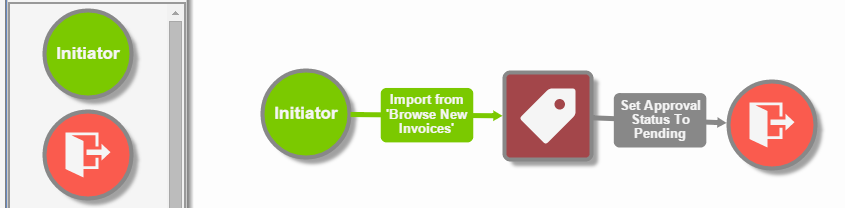
Connections are the links between the different Nodes on the Design Canvas. By linking the Nodes, the Connections create a path for your documents that follow your flow of business information.
Connections are represented by arrows pointing towards the direction of the Workflow process, with labels explaining the action between Nodes. Reposition a Node and the Connection follows. Hover over a Node and it’s connection will change color to further indicate the direction of its flow.
An Out arrow turns green and an In arrows turns red. Connections can be either manual user driven actions or automatic.
Workflows are a combination of steps that collectively represent the processing of a document or business information. Workflows can be saved, published, copied, printed, and revised. Workflow processes may vary from very basic to very complex.
Process Fields
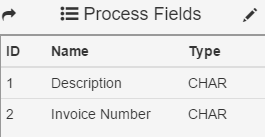
Process Fields are where the identifying information (metadata) about a document is stored in Workflows. They are created in the Field Catalog and then made available in the Designer from the Process Fields Pane.
They can be used for data extracted from the document, system data such as the date/time, the user who scanned the document, the time in process, and much more.
Process Field can be used to make workflow path decisions, can be released to GlobalSearch Index Fields, and used in an exported file name.