
Each form has its own permissions that control which roles can create, view, change and delete its submissions. Set them in the form builder, on the form's Access tab, in the User Permissions section.
Own vs. All permissions
-
Own permissions apply only to submissions the user created (the user is the submission's owner).
-
All permissions apply to every submission of the form, whoever created it.
Read All, Update All and Delete All give access to every submission of the form. Grant them only to roles that genuinely need to see everyone's data, such as a small reviewer role. By default, no role has them.
Submission permissions
|
Permission |
Allows a user with the role to… |
Default roles |
|---|---|---|
|
Create Own Submissions |
Submit the form. The user becomes the submission's owner. |
Authenticated |
|
Read Own Submissions |
View submissions they own |
Authenticated |
|
Update Own Submissions |
Change submissions they own |
None |
|
Delete Own Submissions |
Delete submissions they own |
Authenticated |
|
Read All Submissions |
View any submission of the form |
None |
|
Update All Submissions |
Change any submission, including changing its owner |
None |
|
Delete All Submissions |
Delete any submission of the form |
None |
Administrators always have full access.
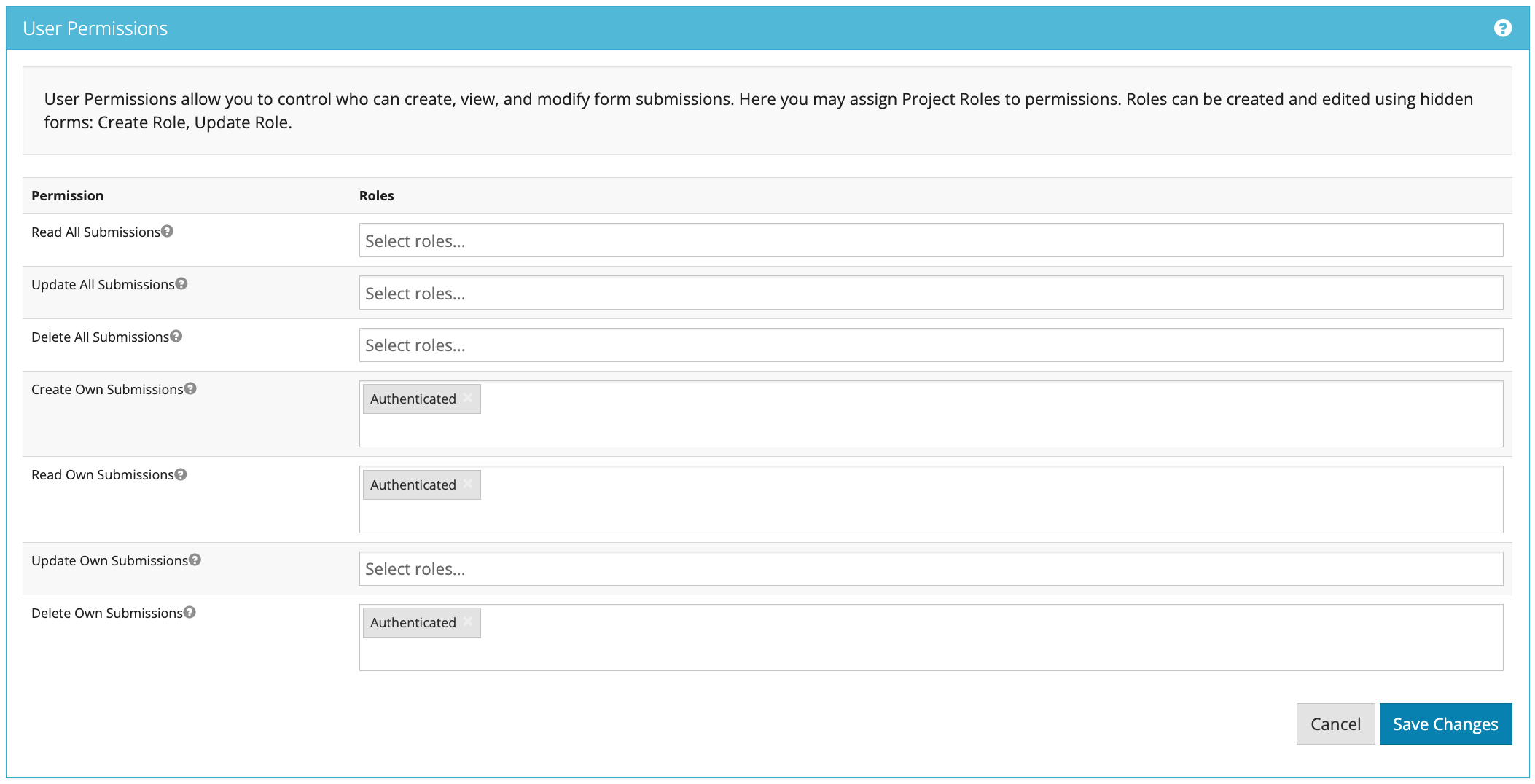
The defaults above apply to forms created in the form builder. Forms imported or created another way keep the permissions they were saved with, so check the Access tab after importing.
Common setups
|
Scenario |
Permissions |
|---|---|
|
Public form anyone can submit, without signing in |
Give Anonymous Create Own Submissions. Give no other permissions to Anonymous. |
|
Staff form, where people see only their own entries |
Keep the defaults for Authenticated. |
|
Staff can save and come back to finish later |
Add Update Own Submissions for Authenticated. |
|
A review team sees every submission |
Give the reviewers' role Read All Submissions. Add Update All only if they must edit. |
GlobalCapture and submission security
Permissions on a form are in addition to any security GlobalCapture applies to a submission while it is in a workflow. For example, validation actions on a submission are shown only to users secured to that workflow step.