
This node is available for GlobalCapture only and can be downloaded from the Square 9 Solutions Delivery Network.
CSV Generator creates a CSV file from the header and/or table data of the document in the process. The standard output of all the header or header and table data can be used or the output can be customized based on needs.

Node Properties
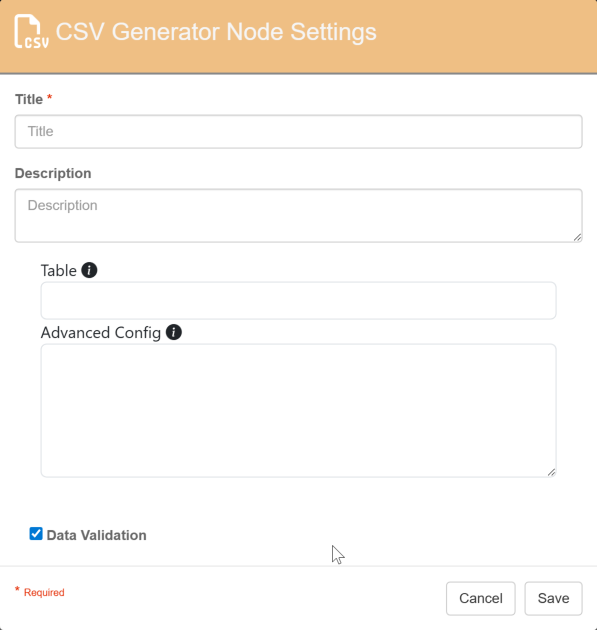
Title
Add a title for this node. Your title should be brief but descriptive about what the prompt is doing. Titles are useful when reviewing the history of a workflow for easier understanding of the overall process.
Description
Provide a synopsis of what this node is doing, or make note of any important details. This is useful for providing additional information such as the data being extracted, the output format, etc. A good description is helpful when returning to modify the workflow in the future.
Table
This is a dropdown list of all process fields. Select the table that contains the repeating line item information to be exported into the CSV file.
If no table is selected, only header data will be exported.
Advanced Config
Customize the fields exported in the generated CSV file by entering an Advanced Config.
{
    "header":["xxx", "yyy"],
    "table":["aaa","bbb", "ccc"]
}
-
Header data columns will be exported in the order the process fields appear in the Process Fields pane.
-
Table data columns will be exported in alphabetical order.
Example:
{
    "header":["Vendor Name", "AP Record Type"],
    "table":["Quantity","Item Number", "Total Amount"]
}
The above will output the following CSV:
|
Vendor Name |
AP Record Type |
Item Number |
Quantity |
Total Amount |
|---|---|---|---|---|
|
Soundcoast |
Invoice |
51345613 |
5 |
$149.95 |
|
Soundcoast |
Invoice |
16854843 |
3 |
$299.97 |
When using Advanced Config, you can:
-
Export only header fields: {“header”:[]}
-
Export only table fields: {“table”:[]}
-
Export specific header and/or table fields: {“header”:[”Vendor Name”],”table”:[“Total Amount“]}
Outputs
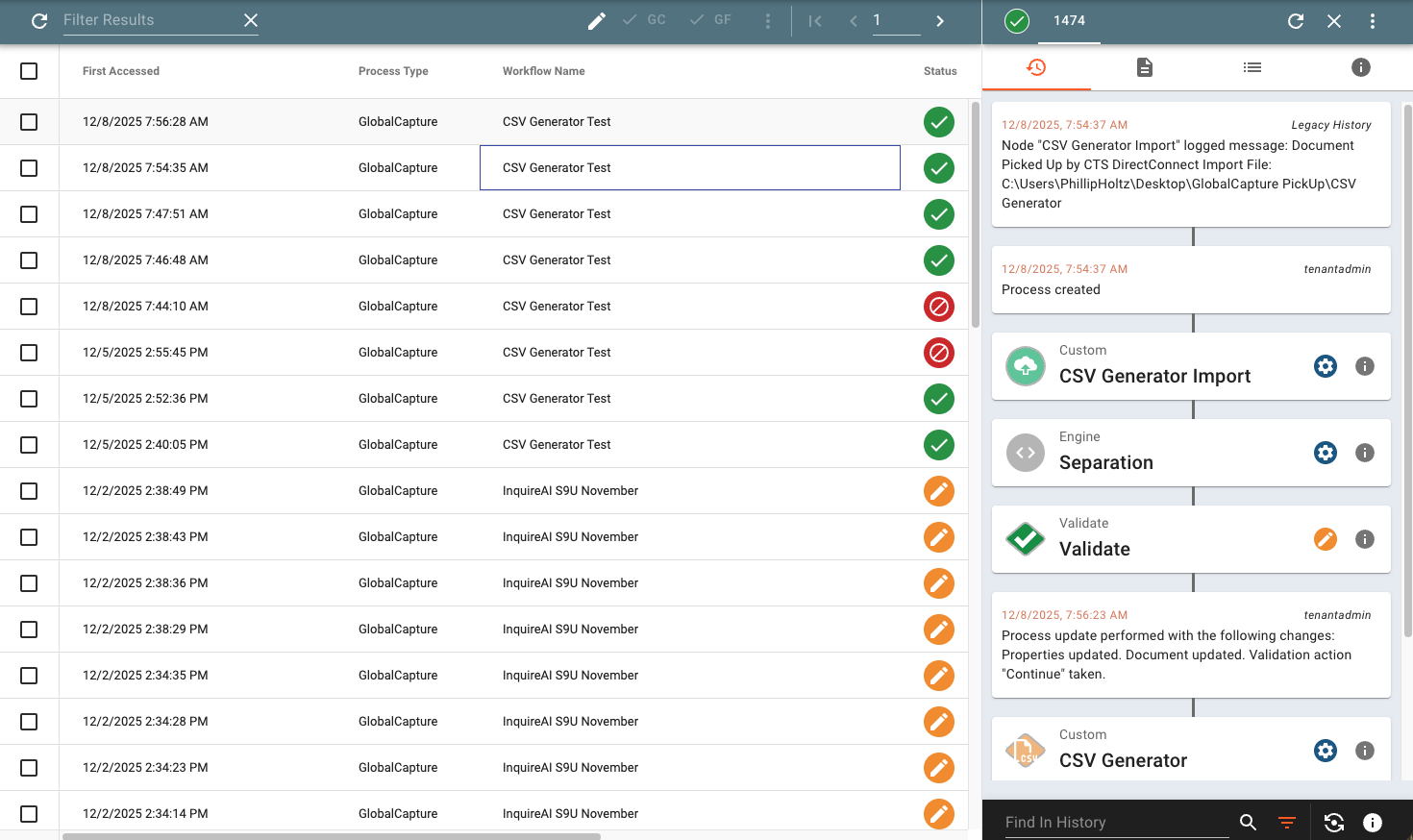
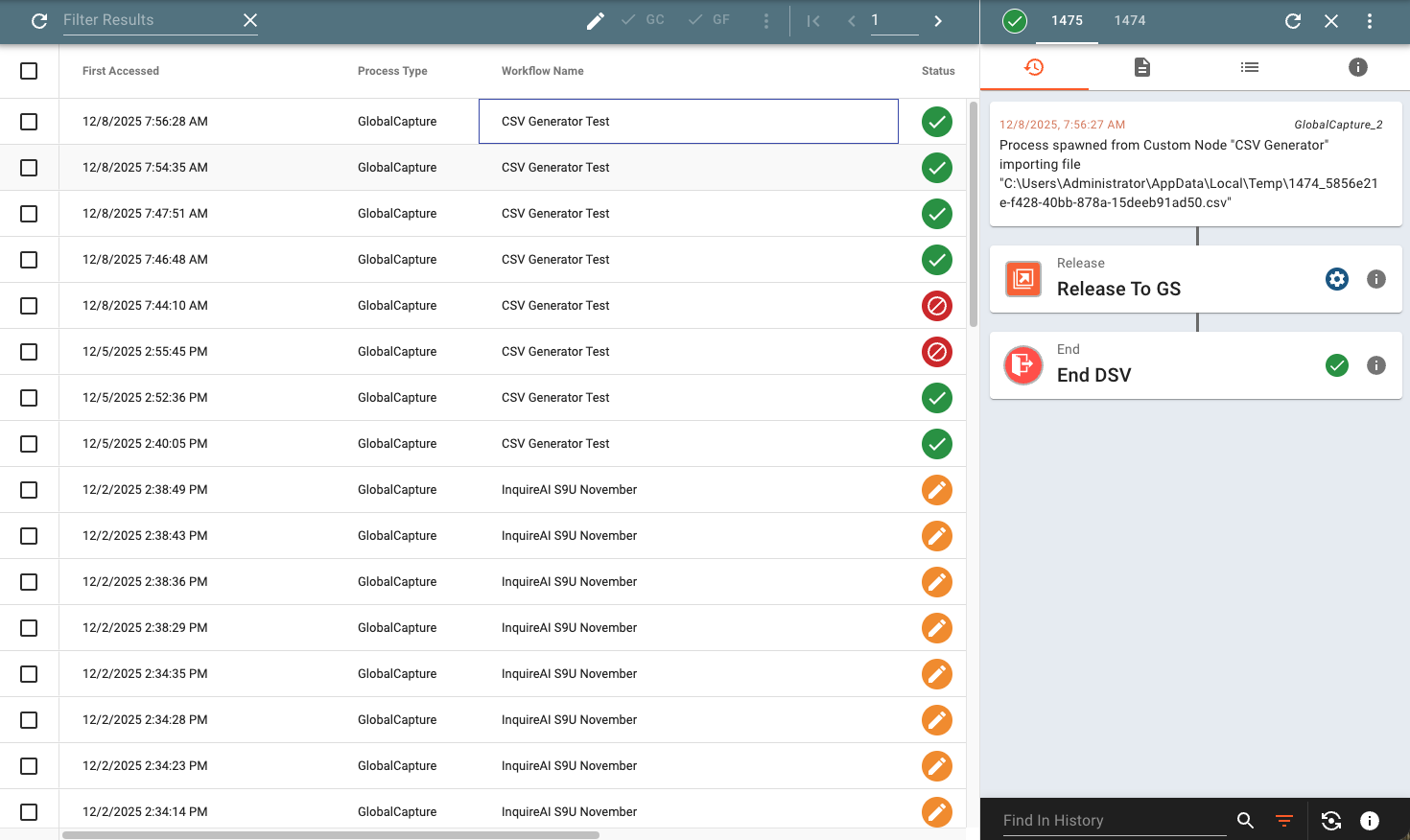
The CSV Generator node spawns an additional output and process in GlobalCapture and therefore requires two outputs: Original Process and CSV File.
Original Process
This is the path the original document will follow with its index data. This is represented in GlobalCapture in the original process.
CSV File
This is the path the generated CSV file will follow. A new process in GlobalCapture is spawned for this document.
Use Cases
3rd Party Applicaitons
Hand off CSV files to 3rd party applications to share data and eliminate data entry.
Data Loading
Use the CSV data to support data loading into other data sources, including GlobalData.
Common Errors
Error
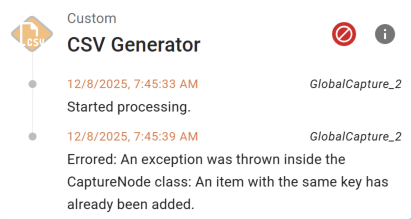
When viewing the History tab in the process drawer, an error occurs on the CSV Generator node.
“Errored: An exception was thrown inside the CaptureNode class: An item with the same key has already been added.”
Cause
This occurs when the same field is part of the process field list and a data table withing that process field list. i.e.
My process fields are:
-
Vendor Name
-
Description
-
AP Line Items (this is a table field)
The AP Line Items table consists of:
-
Qty
-
Item Number
-
Description
-
Total
Resolution
Remove the common field from either the table or from the process field list.