Microsoft Graph API is the preferred and modern approach for any Office 365 integration. Square 9’s iPaaS node supports Graph API natively using the OAuth 2.0 client credentials grant.
To begin, you must have a Tenant ID, Client ID, Client Secret, Site ID, and Drive ID. These credentials must be secured (e.g., in Key Vault or environment variables). Do not attempt to set up iPaaS without them.

iPaaS does accept Square 9 Notation to dynamically configure settings using Process Field values.
Releasing Documents To SharePoint
-
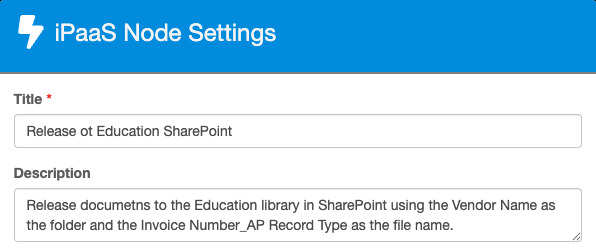
Add an iPaaS node to the design canvas and give your node a Title and Description.
-
Expand Connection Settings.
-
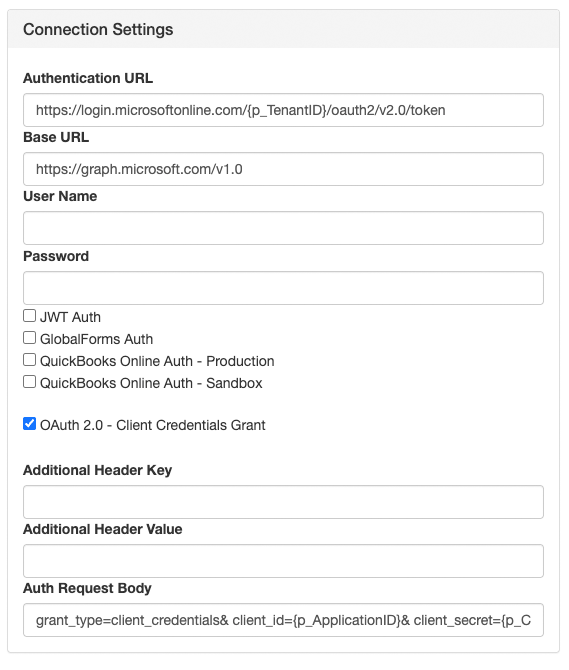
Under Authenciation URL enter the URL shown below. Replace yourtenantid with your Tenant ID obtained from the App Registration or with {p_TenantID} if using Square 9 Notation.
https://login.microsoftonline.com/yourtenantid/oauth2/v2.0/token
TenantID is a Process Field that contains the value of the Tenant ID.
-
Enter the Base URL. Use
v1.0for production. Thebetaendpoint exists for preview features but should not be used in production.
https://graph.microsoft.com/v1.0
-
Select OAuth 2.0 – Client Credentials Grant.
If this option is not available, update your node version in GlobalCapture Administration.
-
Auth Request Body Parameters must be sent as x-www-form-urlencoded key/value pairs. Replace YourClientID and YourClientSecret with the value obtained in the App Registration or with {p_ClientID} and {p_ClientSecret} if using Square 9 Notation.
grant_type=client_credentials&
client_id=YourClientID&
client_secret=YourClientSecret&
scope=https://graph.microsoft.com/.default
ClientID is a Process Field that contains the value of the Client ID and ClientSecret is the Process Field that contains the value of the Client Secret.
-
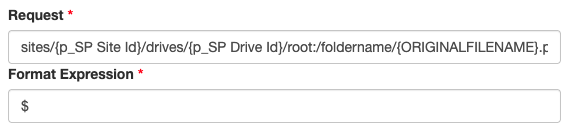
The Request setting defines the API call.
sites/yoursiteID/drives/yourdriveID/root:/yourfoldername/yourfilename.pdf:/content
-
yoursiteID → ID of the site.
-
yourdriveID → ID of the drive (document library).
-
yourfoldername → Target folder in SharePoint. Nested paths are supported and non‑existent folders are created automatically.
-
yourfilename → Desired name of the file.
Any of the above can be replaced with variables using Square 9 Notation.
-
Graph returns results in a standard OData value array. Standard iPaaS mapping rules apply, with a Format Expression of
$.
-
Avoid using display name references in requests. Graph does not reliably resolve them. Always use IDs or path‑based references.
-
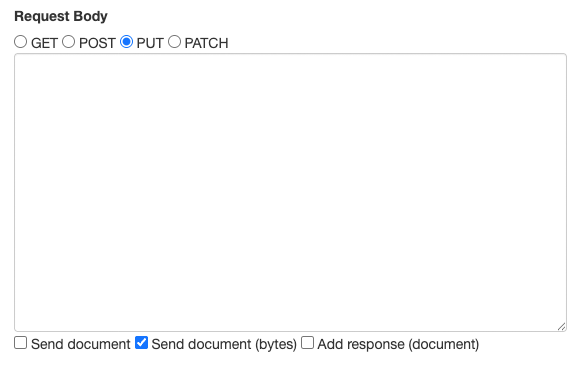
Graph API uses a PUT request to upload document content to SharePoint.
Important: Direct PUT uploads are limited to files ≤ 4 MB. Larger files require an upload session (createUploadSession).
Overwrites: This direct PUT method does not allow overwriting files with the same name. If the file already exists, the request will return an error.
-
Select Send document (bytes) so the binary file content is streamed in the request body.
-
Save your node and finish building your workflow.
Adding Metadata to Documents
To include metadata with your document released to SharePoint you will need:
-
A separate iPaaS node configured with a different request.
-
The ID of the document in SharePoint.
-
The SharePoint column Name.
The SharePoint column Name may be different from the name diplayed in SharePoint. See Using Graph API to Make Request to understand how to retreive columns Names.
The Connection Settings for this node are the same for that of the Releaseing Documents To SearchPoint iPaaS node. You can copy and paste that node and modify it or add a new iPaaS node.
-
Add a Process Field called id.
id is case sensitive and must be lowercase. This field will store the SharePoint document id.
-
Copy and paste the Releasing Documents to SharePoint iPaaS node or add an iPaaS node to the design canvas.
-
Add/Update the Title and Description.
-
Apply the same connection settings from Releasing Documents to SharePoint in steps 2 - 6. If you copied the node, no changes are needed.
-
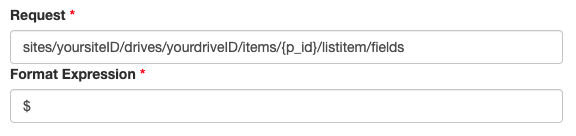
The Request setting defines the API call.
sites/yoursiteID/drives/yourdriveID/items/{p_id}/listitem/fields-
yoursiteID → ID of the site.
-
yourdriveID → ID of the drive (document library).
-
{p_id} → The document id is returned to GlobalCapture when released to SharePoint and is stored in a system field called id. This value can be accessed by creating a Process Field with the same name: id then accessed in the request using {p_id}.
-
Any of the above can be replaced with variables using Square 9 Notation.
-
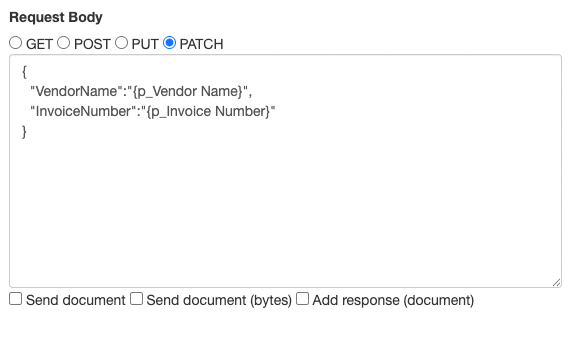
Change the Request Body to PATCH and added the key:value pairs in a JSON object.
{ "SharePoint Column Name 1":"{p_Process Field Name 1}", "SharePoint Column Name 2":"{p_Process Field Name 2}" } -
Since no document will be loaded, uncheck Send document (bytes).
Completing Your Workflow
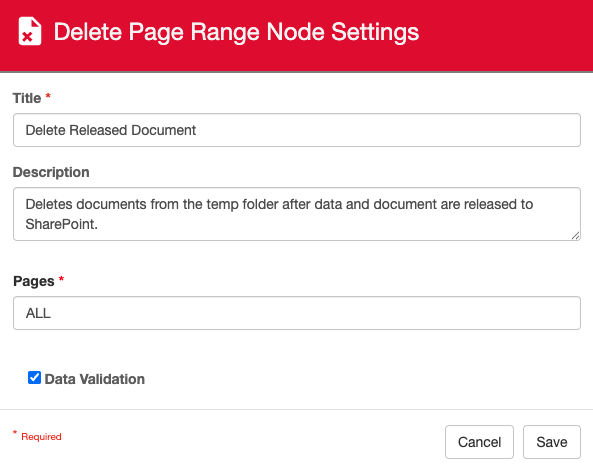
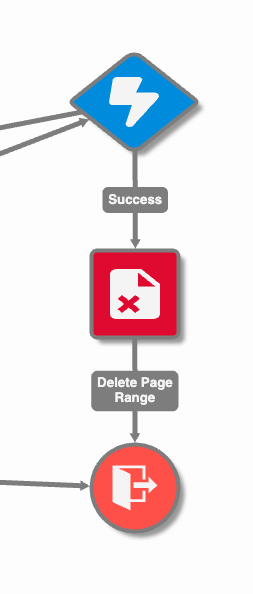
Any document moving through a GlobalCapture process is stored is a temporary folder on the GlobalCapture server while processing. When releasing to GlobalSearch, that document is automatically removed from the temporary folder when released. This is not the case when using iPaaS, therefore it is best practice to add a Delete Page Range node before ending the process.